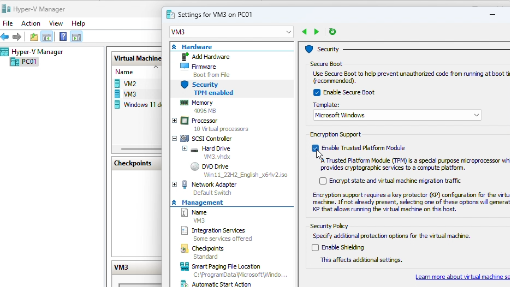
If the Virtual Machine doesn’t support Secure Boot, you can go to VM Settings, Security to enable it.
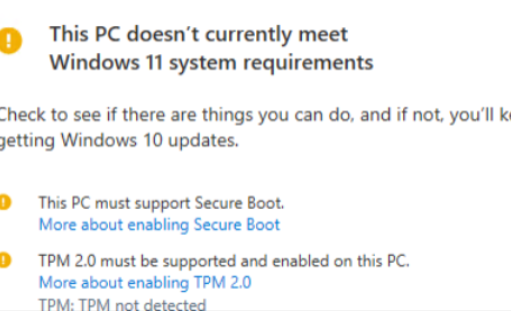
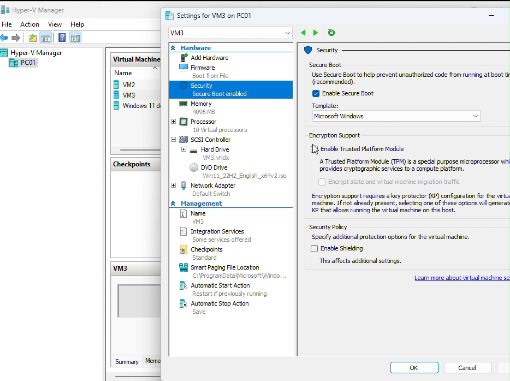
If you don’t see the Secure Boot in Security, that is because the Secure Boot is supported only on Generation 2 virtual machines.

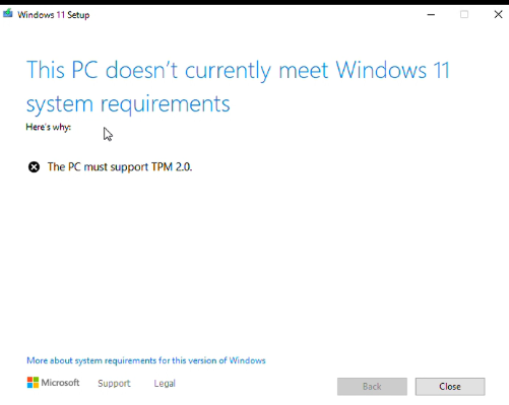
If you receive a message: This PC doesn’t currently meet Windows 11 system requirements, and The PC must support TPM 2.0, you can enable TPM by going to VM Settings, Security,