Case 1. The clients can’t access to the server.
Resolution: You need add DVMax in the firewall on the server. Open Windows firewall. Go to Allow an app or feature through Windows Defender Firewall.
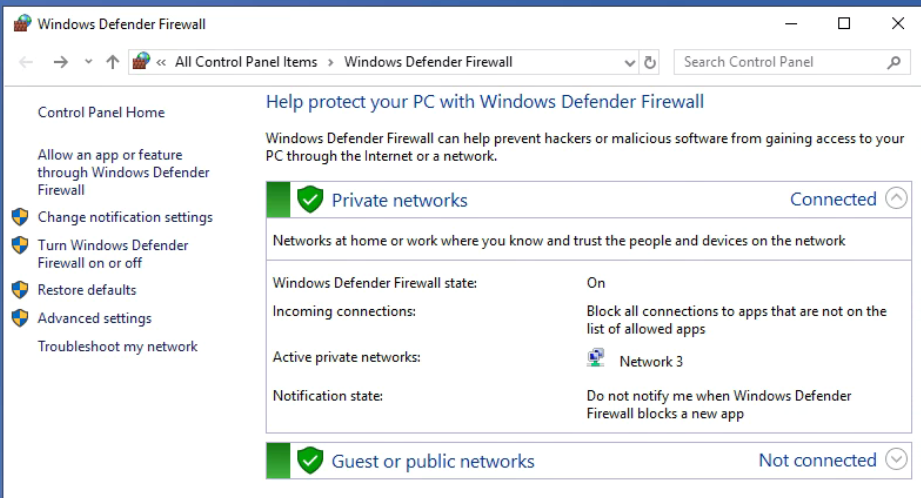
Add the DVMax.
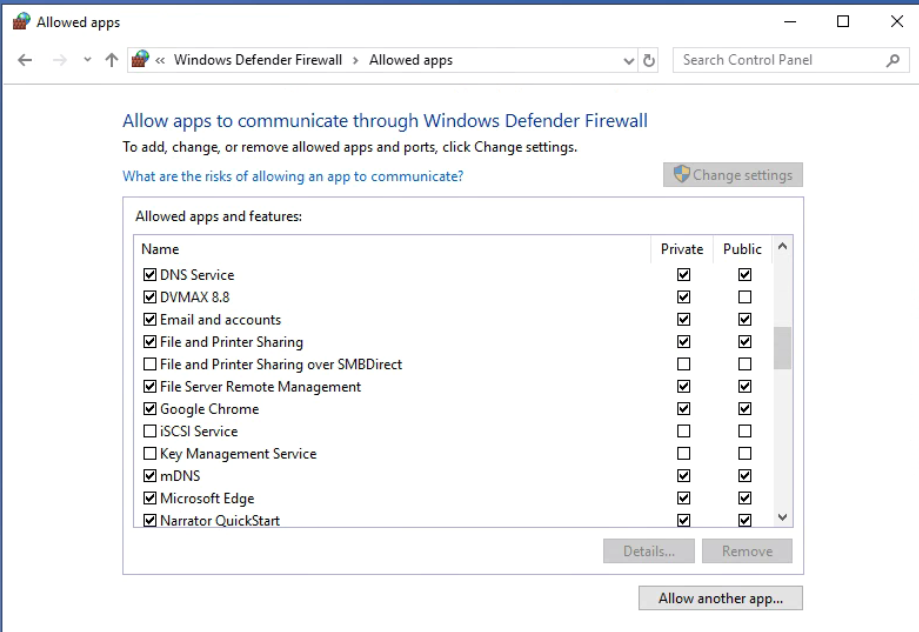
If you don’t see DVMax, click on Allow another app.
Case 2: Clients don’t load the appointments. Or open with different IP address, for example the DVMax server IP is 192.168.0.9, but it opens with 169.248.0.1.
Troubleshooting: The server is a multi-homed computer with two or more NICs. One of them doesn’t have correct IP address. Disable it.
